
me88 Malaysia Login: Access Your Account
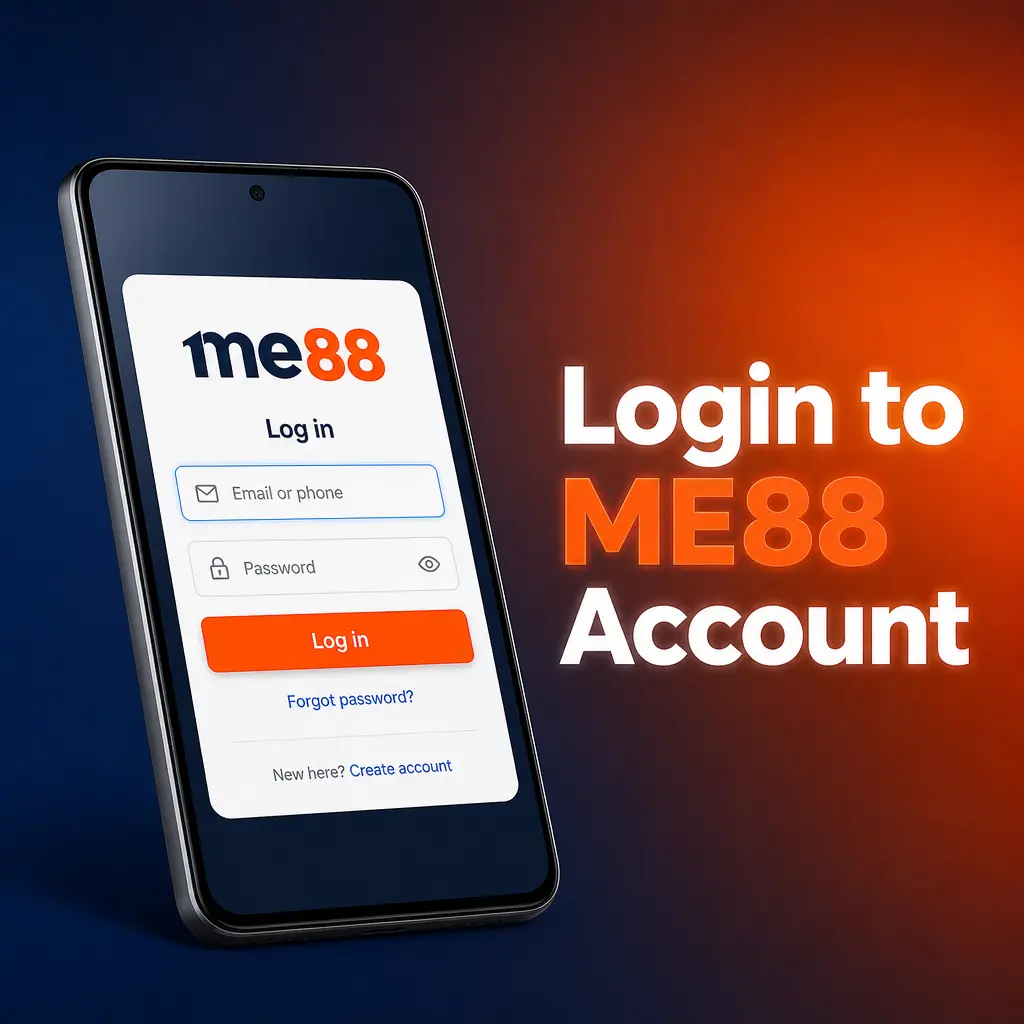
The LOGIN button sits in the site header, next to JOIN NOW, and opens a small window with two fields: username and password. That is the whole me88 Malaysia login. There is no separate account for casino, sportsbook, esports or 4D, and no second set of credentials for the app: one profile opens every section and holds every wallet.
Below is the sign-in sequence step by step, the Telegram alternative, what each rejection message actually means, and how to keep the session alive on a phone. If you do not have an account yet, the register link inside the same window is the shortest route to one. The platform overview is on the me88 Malaysia home page.

How to Sign In Step by Step
Four steps, and the only one that catches people out is the first, because the login window is an overlay rather than a separate page. Nothing is emailed to you and no code is sent during a normal sign-in.
After the fourth step you land in the account dashboard. The main wallet balance sits at the top, provider wallets are listed below it, and the cashier and the Transfer screen are both reachable from there. Nothing else on the platform asks you to sign in a second time, including the games themselves.
Open the login window
Press LOGIN in the site header. On mobile the same button sits inside the menu. The window opens over the page with the me88 logo at the top.

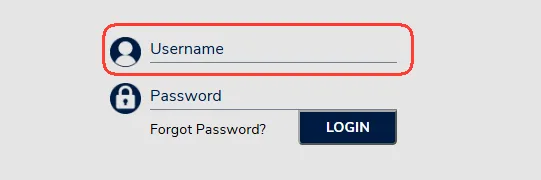
Enter your username
This is the username you created at registration, not your email address and not your phone number. Watch for a trailing space if the browser fills it in for you.
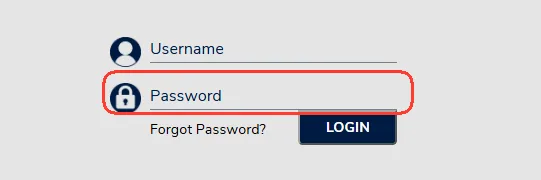
Enter your password
Type the password into the second field. It is case sensitive, so check Caps Lock first if the form rejects a password you are sure about.
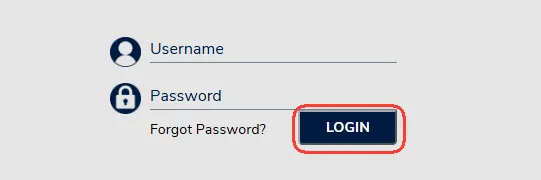
Press LOGIN
Submit the form. If you cannot remember the password, use the Forgot Password link in the same window rather than guessing, since repeated attempts get you nowhere.
Signing In with Telegram
Under the password field sits an "or" divider and a Telegram button. It signs you in through the messenger instead of typing credentials, which is useful on a phone where a long password is tedious, and useful for anyone who registered through Telegram in the first place.
Two conditions apply. It has to be the same Telegram account that is linked to your profile, and the link itself is arranged inside My Account, not in the login window. If the button signs you into nothing, the account is not linked yet, and the ordinary username and password route still works.
The Telegram button is not a second password. It is another door to the same account, so protecting the messenger account matters as much as protecting the password.
It is also worth keeping the ordinary credentials usable even if you sign in this way every day, because a messenger reinstall on a new phone should not be the only thing standing between you and your balance.
Forgot Your Password
The Forgot Password link sits inside the login window, under the password field. Recovery runs on the details you gave at registration, which means the phone number with the +60 prefix and the email address on the profile. That is the practical reason to register with contacts you still use rather than ones you abandoned.
The site does not publish the exact recovery sequence, so treat anything you read elsewhere claiming a fixed number of steps or a specific code format with suspicion. Follow what the form asks for and nothing more.
If recovery does not complete, for instance because the phone number on the account is no longer yours, the route is support rather than a new registration: a second account will not solve the first one and creates a duplicate-profile problem instead. Live Chat runs around the clock, with Telegram and email as alternatives, all listed on the contact support page.
Login Problems and What They Mean
Most failed me88 casino login attempts come down to one of five things, and the fix is usually seconds rather than a support ticket.
- Typo in the username. Check for a trailing space, particularly when the browser autofilled the field or you pasted the value in.
- Caps Lock is on. Passwords are case sensitive. On a phone, the culprit is usually the keyboard capitalising the first character automatically.
- Stale session in the browser. An old cookie can leave the window in a strange state. Clearing the site data or opening a private window sorts it out.
- Session timed out. Being signed out after a long idle period is normal behaviour, not a fault. Sign in again.
- Account verification pending. If support has asked for something and it has not been provided, access to parts of the account can stay limited until it is.
Write to support when the password is definitely correct and recovery does not arrive, when the account reports itself as suspended, or when a sign-in you did not make shows up. Have your username ready; it makes the conversation several minutes shorter.
What none of these problems needs is a different address bar. Login failures are account-side or browser-side, and hunting for an alternative way in is how players end up entering real credentials on a page that is not the platform at all.
Finding the Right Entry Point
The safest me88 link is the one you already trust: a bookmark you made yourself, or the installed app. Both skip the step where a search result or a forwarded message decides where you land.
Two habits are worth keeping. First, check what the page is asking for. The genuine login window asks for a username and a password, nothing else, and never for a card number, a one-time banking code or a copy of your identity document. Second, be wary of links arriving in group chats with an offer attached, because that is where fake sign-in pages circulate.
This page does not publish alternative domains or mirror lists. The most stable entry point is the app, which opens the same account without a URL at all, and is covered on the download the me88 app page.
If you are unsure whether the page in front of you is the right one, close it and reopen from your own bookmark or the app rather than trying to judge by appearance. Copies are easy to make and hard to spot.
Staying Signed In on Mobile
The app holds a session considerably longer than a mobile browser does, which is the main practical reason to install it if you play daily. A browser clears cookies on its own schedule, and a phone that closes background tabs to save memory takes the session with it.
The iOS route, a home screen shortcut to the mobile site, behaves like a browser rather than a native app: it opens the same login window and loses the session on the same terms. Convenient, but not the same thing.
Switching to a new phone means signing in again from scratch, so know your password rather than relying on a saved session. Once inside, the lobby is the same on every device, as described on the me88 casino page.
Whichever route you use, do not save the password in a browser on a shared device. The session is the convenience worth keeping; the stored password is not.
After You Sign In
The account dashboard opens on your balances, and four things are usually worth doing first.
Top up the main wallet. Deposits land there before anything else. The available channels are compared on the me88 payment methods page.
Transfer to a provider wallet. Open My Account and then Transfer, choose the studio or sportsbook you plan to use, and move the stake across. Games will not accept a bet from the main wallet.
Pick a promo code if you want the bonus. The code is selected during that transfer, not typed into a separate box, and current offers are listed under me88 promotions.
Check your profile details. Do it before the first payout, not during it, because a name that does not match your bank account is the classic reason a withdrawal stalls.
If a deposit has landed but a game refuses your stake, the missing step is almost always the transfer rather than anything to do with the sign-in you just completed.
FAQ
What details do I need to sign in?
A username and a password, and nothing else. No email confirmation, no code by SMS and no document upload are part of an ordinary sign-in at me88.
Can I sign in with Telegram instead of a password?
Yes, if that Telegram account is linked to your profile. The button sits below the password field, under the "or" divider, and opens the same account.
What should I do if I forgot my password?
Use the Forgot Password link inside the login window. Recovery works from the phone number and email you registered with. If it fails, contact support rather than registering again.
Why does the site reject my details?
Usually a typo, Caps Lock, or a browser autofill with a stray space. A stale session can also confuse the form, which a private window or cleared site data resolves.
Is the login the same for the app and the website?
Yes. One account covers casino, slots, sportsbook, esports and 4D, in the app and in the browser, with the same balances behind it.
Do I need to verify my account before signing in?
No. Verification belongs to the withdrawal stage, not the sign-in stage, and you can deposit and play before it is requested.
How do I get an account if I do not have one yet?
Use the register link inside the login window, or JOIN NOW in the header. It takes a couple of minutes and the walkthrough is on the create your account page.
Updated: